System architecture at the heart of your engineering process
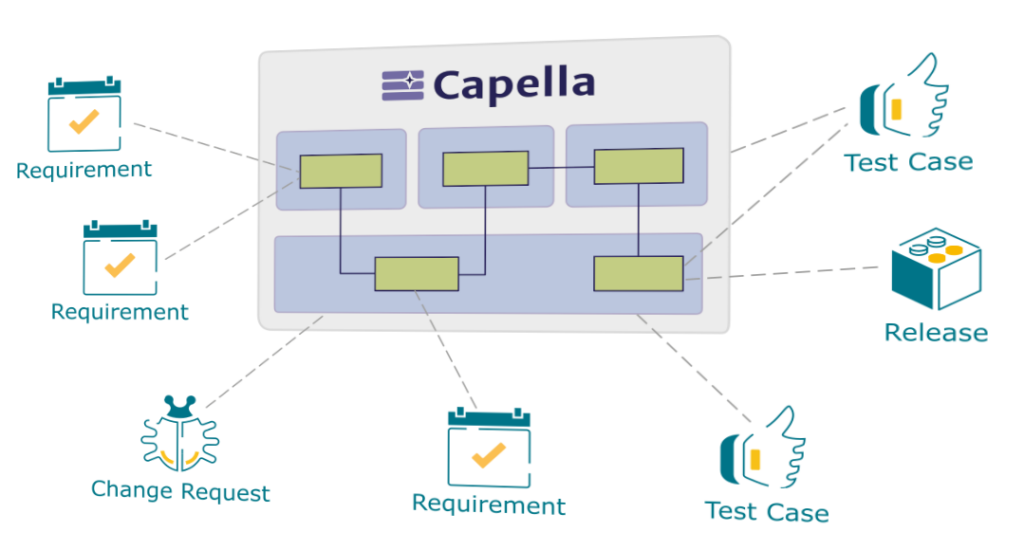
Publication for Capella provides a seamlessly integrated view between your system architecture and related engineering activities (IVVQ, Requirements, etc.).
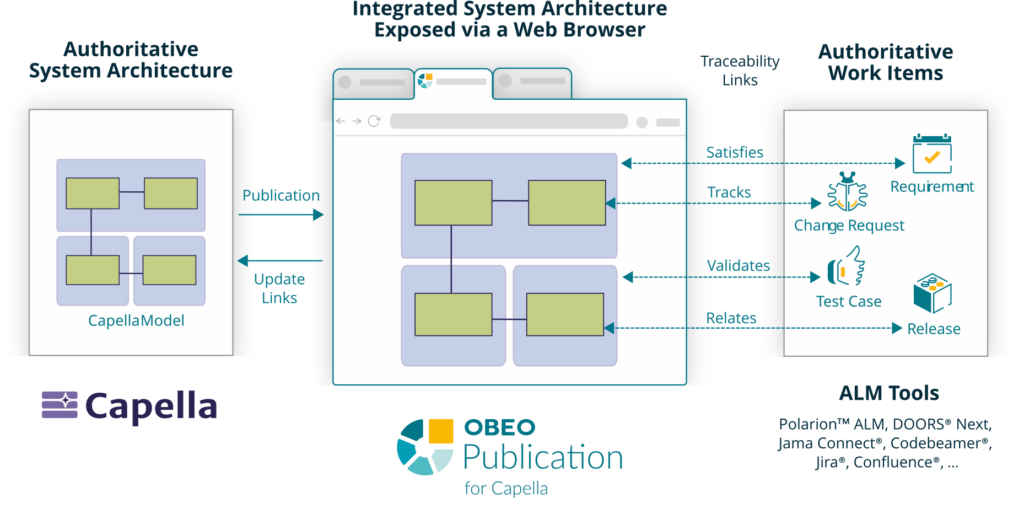
Publish Capella models on a web server, connect them with requirements, change requests, test cases, releases, and so on, defined in third-party repositories, and expose them to authorized stakeholders.
The supported repositories include PolarionTM ALM,DOORS® Next, Jama Connect®, Codebeamer®,Jira®and Confluence®.
Make System Architecture Easily Accessible to Your Teams/Partners
Quickly and efficiently share integrated system architectures across different engineering disciplines. Seamless and fast navigation through models, even without Capella experience. Only a web browser needed to end-users.
They Trust Us
Digital Thread from Requirements to Architecture
Efficiently maintain CONSISTENCY and ALIGNMENT between Capella models and third-party repositories (like ALM or RMS).
Reduced errors from managing identical data on different systems
Less time spent searching for data in different sources
Informed decisions based on up-to-date information
Integrate Authoritative Sources of Truth
Authoritative Capella models are published on a web server, and linked with authoritative work items coming from connected ALM tools using OSLC links. The integration between all these elements is exposed to authorized stakeholders through a controlled web portal.
Connection
with ALM Tools
Integrate Capella with ALM Tools (Polarion, DOORS Next, …) using OSLC mechanism
Integrated
Sources of Truth
Avoid useless duplication of information by connecting authoritative sources of truth
Traceability
Made Simple
Easily create and verify traceability links across all Work Items and Capella Elements
Seamless
Navigation
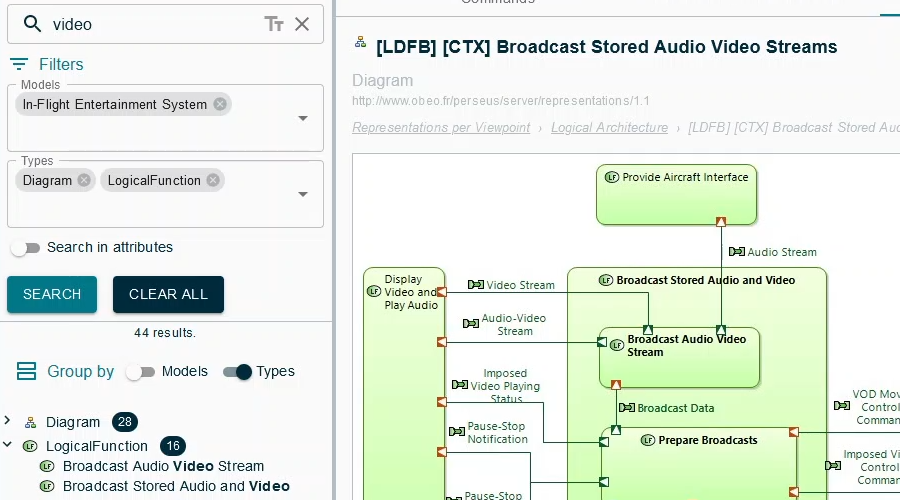
Use multi-criteria searches to find and navigate across all Work Items and Capella Elements
Built-in
Access Control
Grant stakeholders controlled access to an integrated System Architecture view
Break silos between teams by providing online access to an integrated view of your system architecture. It facilitates your engineering teams to reuse work items and system elements.
Capella User
Define an integrated system architecture federated with third-party repositories, and decide when to expose this consistent content to other stakeholders.
From the Capella Workbench
Publish Capella models on the Publication server.
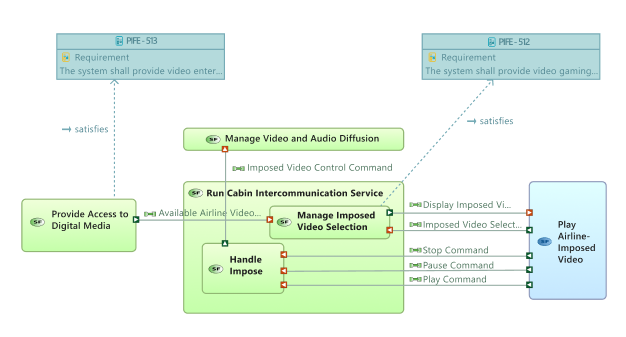
Drag&drop artifacts defined in connected repositories directly into Capella to create traceability links.
Manage the traceability links from Capella.
ALM User
Create requirements, issues, test cases, etc, in third-party repositories, and collaborate with systems engineers to align these artifacts with the system architecture.
From a Third-Party Repository connected to the Publication server (ex: Polarion or DOORS Next)
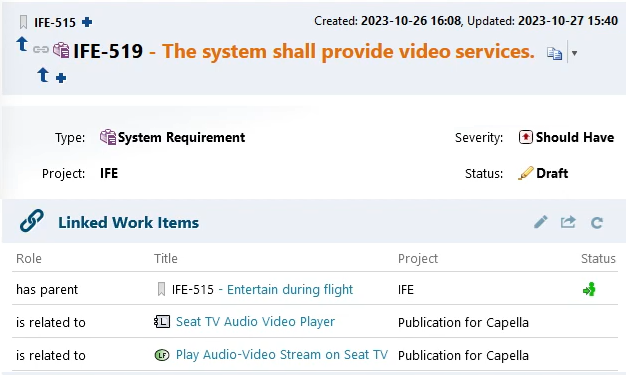
Manage traceability links between artifacts defined in a connected repository and Capella model elements.
Stakeholder
Benefit from an integrated and consistent view of the system architecture: a detailed model with verified traceability relationships to related engineering artifacts.
From a Web Browser
Find an element in a published Capella model.
Browse its properties, relations and diagrams.
View its traceability links and related artifacts.
Project Administrator
Control how the Capella models are exposed to stakeholders, and how they can be integrated with various third-party repositories containing engineering artifacts.
From a Web Browser
Manage projects (creation, renaming, deletion).
Configure projects (associating third-party repositories with projects, setting link types).
Grant project access rights.
Flexible Hosting
Choose the hosting model that aligns with your IT constraints.
On-Premise
You host: install the publication server on your own IT infrastructure.
Cloud
We host: we manage the publication server on a cloud infrastructure (see Cloud for Capella).
Optimized Licensing
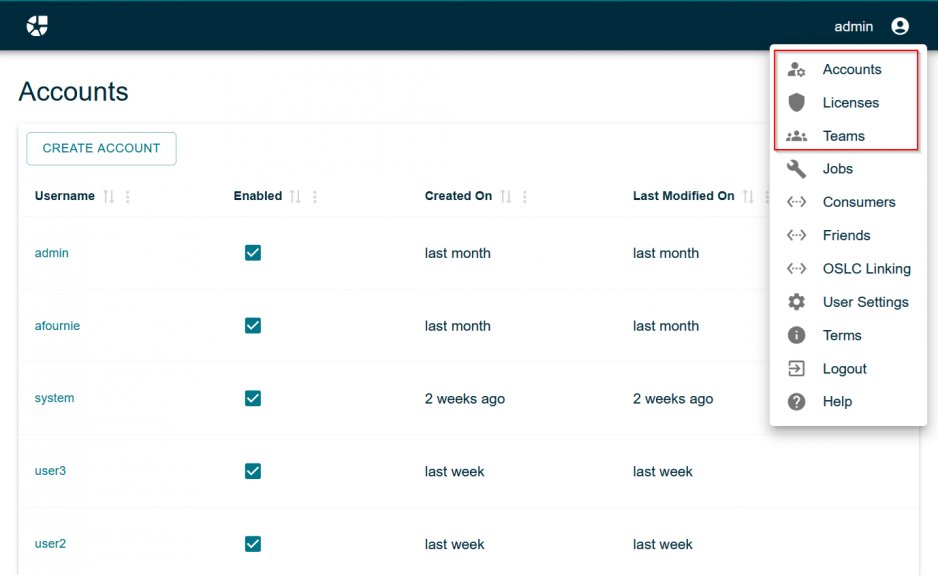
Control your costs by tailoring access rights.
Viewer
Affordable, read-only and secured access to encourage widespread sharing of your system architecture.
Contributor
Higher-value capabilities for selected users who publish and manage traceability.
Administrator
Designed for a small number of users, with full rights to configure and govern the environment.
Scale Your Deployment
with Flexibility and Control
Some limitations exist if Global Configuration is activated.
See how to create traceability links by drag&droping requirements from DOORS Next directly into Capella
See how to access a work item in DOORS Next by clicking on its traceability link with a Capella model element.
See how to create traceability links between work items in IBM Engineering Workflow Management and Capella model elements.
See how to create traceability links between test cases in IBM Engineering Test Management and Capella model elements.
IBM, IBM Engineering Lifecycle Management, and their logos are trademarks or registered trademarks of International Business Machines Corporation in the United States and/or other countries. Obeo is not affiliated with, endorsed, or sponsored by IBM.
In this webinar, discover how to publish Capella models to a web server and establish bi-directional connections with Confluence and Jira.
See how to create traceability links by drag&droping change requests from Atlassian Jira directly into Capella.
Atlassian, Jira, Confluence and their logos are trademarks or registered trademarks of Atlassian Pty Ltd in the United States and/or other countries. Obeo is not affiliated with, endorsed, or sponsored by Atlassian.
Jama Connect
The connection with Jama Connect doesn’t require an installation of its OSLC add-on.
But it requires named licenses of Jama Connect Creator.
Discover the integration between Publication for Capella and Jama Connect
A complete webinar about the integration between Publication for Capella and Jama Connect
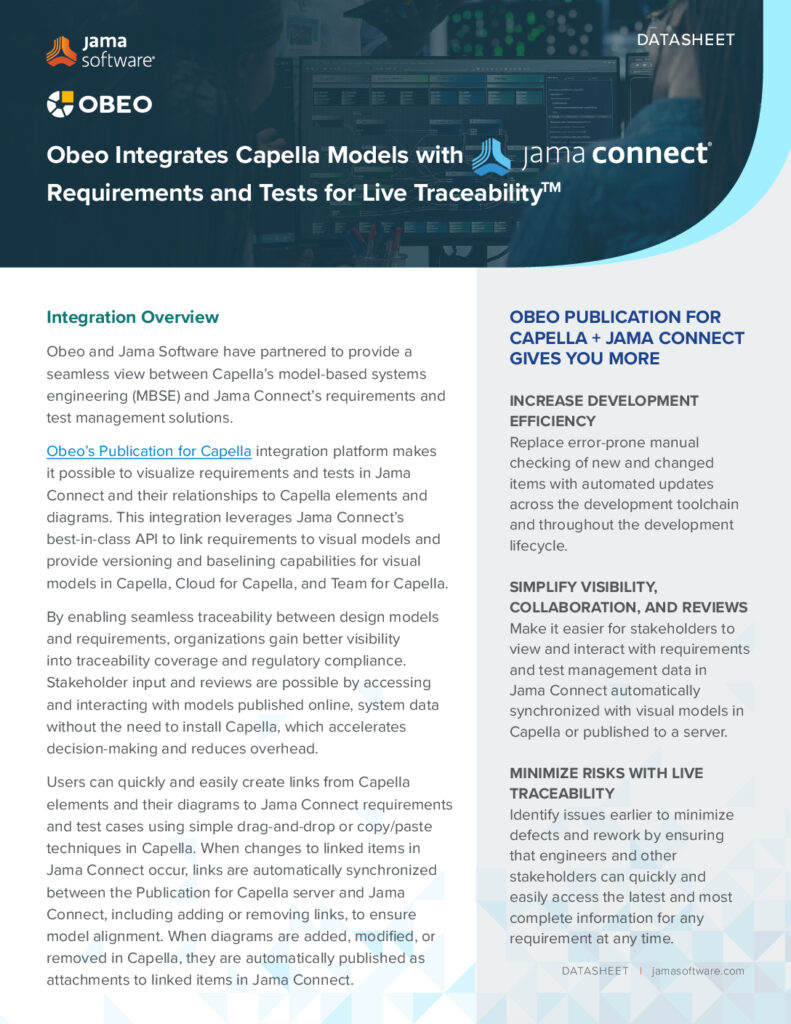
Download this datasheet to learn more about the benefits of integrating Publication for Capella with Jama Connect.
Jama Software, Jama Connect, and their logos are trademarks or registered trademarks of Jama Software Inc. in the United States and other countries.
PTC Codebeamer
The integration between Codebeamer and Publication for Capella allows traceability links to be created by drag and drop from a Codebeamer artifact to a model element in Capella.
Support of versions 2.1 to 3.0 of Codebeamer.
This integration is experimental and currently comes with the following constraints in Codebeamer:
Linked artifacts are limited to a single Codebeamer project.
Links are not displayed in the Codebeamer interface.
Creating links from the Publication for Capella Web UI is not available.
HTML links from Publication for Capella to Codebeamer artifacts are not supported.
See how to create traceability links by drag&droping requirements from Codebeamer directly into Capella
PTC, Codebeamer, and their logos are trademarks or registered trademarks of PTC Inc. and its subsidiaries in the United States and other countries.
Other Tools
Evaluation required: to connect other tools, they need to support OSLC-AM providers
Digital Thread Starts with Publication for Capella!